Cart
Your cart is empty
Looks like you haven’t added anything yet, browse new arrivals below!
Continue Shopping
Looks like you haven’t added anything yet, browse new arrivals below!
Continue Shopping
Instead of manually copying jewelry listings and order details between systems, connect an authorized seller account through TikTok Shop Seller Center and a supported store connector, then test the complete order workflow. This Parken Jewelry TikTok Shop guide explains the seller-side setup for 2026; it does not confirm that the brand currently operates a TikTok Shop.
A TikTok profile, a website link, and a TikTok Shop are different things. Adding the Parken Jewelry website to a profile does not create a shop or connect product records to an order-management system.
Treat shop setup as an order-handling project, not just a profile change. A customer-facing product page is only part of the work. You also need the correct seller identity, accurate jewelry descriptions, and a clear place to process orders.
The brand makes handmade minimalist gemstone necklaces, bracelets, and earrings in New York City. That makes careful product mapping especially important: a necklace, matching earrings, and a jewelry set must not become interchangeable records simply because their names share a gemstone.
For your 2026 setup, follow the onboarding requirements displayed for the seller’s country and account. Complete those requirements before spending time on catalog mapping. Connector installation does not replace seller approval.
There are two practical routes: supported synchronization or manual catalog entry. Use supported synchronization when the store platform and seller account support it; choose manual entry when you can maintain each record deliberately. Neither route removes your responsibility to check the finished listings.
| Workflow | Best for | Main advantage | Main limitation |
|---|---|---|---|
| Supported store connector | An authorized seller maintaining the same catalog across channels | Reduces repeated entry where product and order synchronization are supported | Requires correct permissions, mappings, and a clear understanding of which fields synchronize |
| Manual Seller Center entry | An authorized seller managing a deliberately small catalog | Lets you review every field directly | Requires separate edits and reconciliation when source records change |
Do not assume a connector supports every part of the business workflow. Catalog publishing, order import, fulfillment updates, cancellations, and refunds are separate functions. Check each function in the connector’s current documentation before choosing it.
If your store platform has no supported connection for the intended seller account, keep the workflow manual. Installing an unrelated app does not establish a reliable connection.
Expected result: You can identify the correct seller account, access its product-management area, and see which onboarding tasks remain. Do not interpret access to the dashboard as approval of every product.
Keep seller registration separate from public-facing social content. Someone who can post a video does not automatically have permission to change payment details or authorize an ecommerce connection.
For a 2026 account handover, record the responsible person for seller access, catalog edits, and order handling. These are responsibilities, not necessarily separate employees.
Expected result: The connector identifies the intended store and seller account, and you understand what it is authorized to synchronize. An installed app without a completed authorization is not a finished connection.
Exact connector buttons differ by provider and account. Follow the provider’s displayed authorization sequence; do not substitute instructions for an advertising-only integration. Connecting TikTok advertising tools is not the same task as connecting TikTok Shop.
If you choose manual entry, skip connector authorization. Your equivalent checkpoint is a documented process for creating listings and handling orders directly in Seller Center.
Expected result: The pilot listing represents the same item as the source record, with matching identifiers, images, options, and material descriptions. Submission is not the same as product approval.
A helpful mapping sequence is Source record, Product mapping, Listing review, and Order check. Keep that sequence visible while you work so a successful import does not become the final checkpoint.
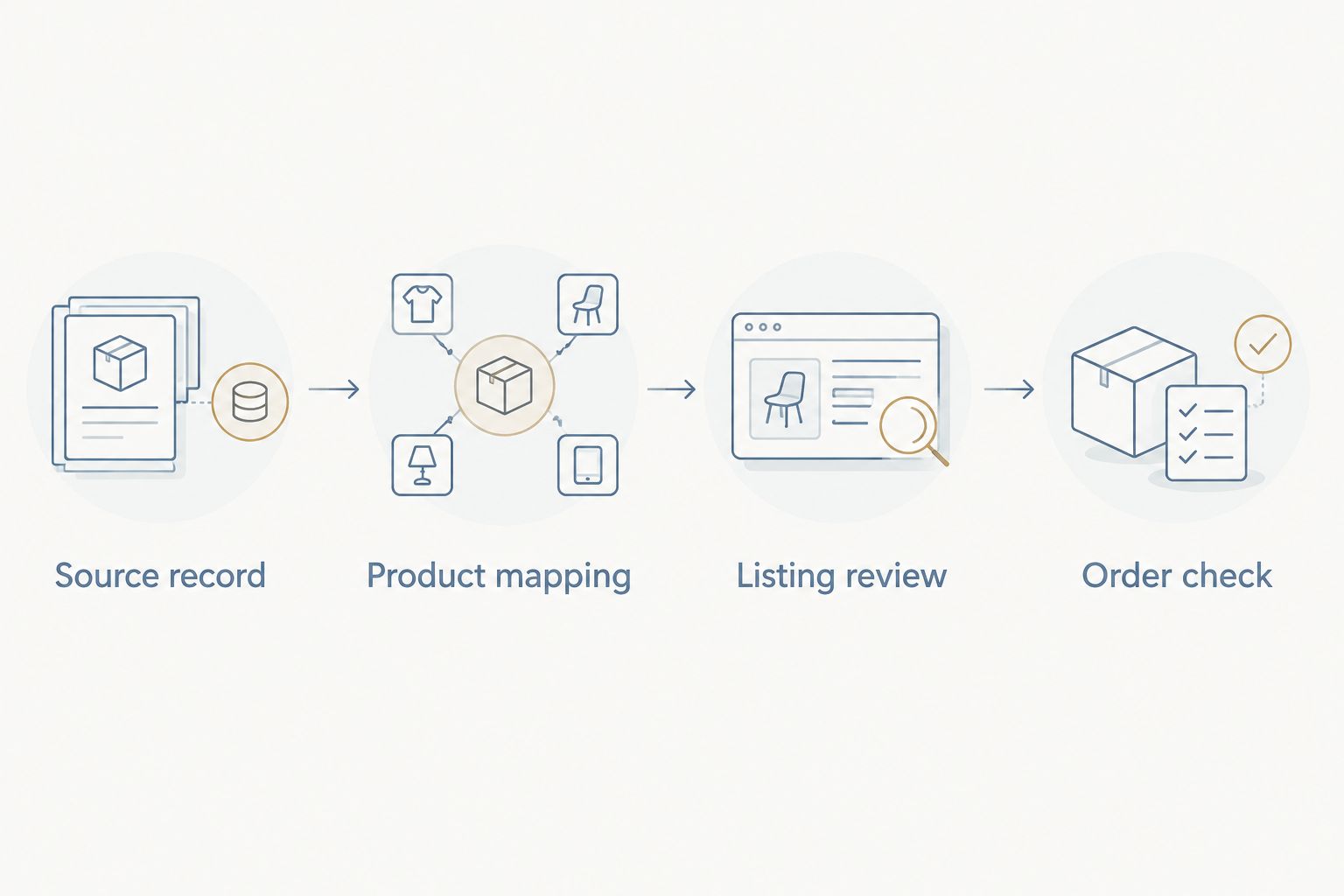
Jewelry descriptions need particular care. Gold-filled, gold-plated, and solid gold are not interchangeable descriptions, and a gemstone name should not be shortened into a different material claim. Use the guide to 14k gold-filled versus solid gold to understand the distinction, then use the exact material stated in the individual product record.
For the 2026 catalog review, keep a simple mapping sheet with the source identifier, destination identifier, responsible editor, and review status. This is your working record when a listing needs correction.
Expected result: You know where an order appears, who handles it, and how its status returns to the customer-facing channel. If no real order has occurred and no supported test exists, the order workflow remains unverified.
Use 3 checkpoints before expanding: the correct product, the correct order destination, and the correct fulfillment update. Keep publishing limited until you have checked all three.
A second workflow begins after the initial connection: keeping approved product information aligned when the source record changes. This is separate from publishing the first listing.
For supported synchronization, change a verified descriptive field in the designated source system. Inspect the connector’s activity record, then check the destination listing itself. A successful transfer message is useful, but the customer-facing result is the deciding check.
For manual entry, record the source change and update the corresponding Seller Center listing deliberately. Mark the task complete only after checking the destination. Do not create a new listing merely to avoid finding the existing mapped record.
Best for ongoing catalog maintenance: A supported connector with an explicit source-of-truth rule. Its advantage is less repeated entry; its limitation is that unsupported fields still need direct review.
During your 2026 maintenance checks, repeat this process after changing connector permissions or replacing the integration. A previous connection test does not verify a newly configured connection.
Sign out of the unintended account before restarting authorization. Confirm the seller identity on the permission screen, then verify the connected identity inside the connector. Do not solve the problem by creating duplicate listings under another account.
Read the product-level review message in Seller Center. Complete the requested attributes or correct the stated issue, then resubmit through the displayed process. Repeated imports do not resolve an incomplete or rejected listing.
Check whether the source store is overwriting destination fields. Make the correction in the designated source system, or adjust the supported mapping settings. Avoid alternating edits between systems without changing the underlying rule.
First check Seller Center to establish whether the order exists there. Then inspect the connector’s order-import scope, permissions, filters, and error record. Do not create a replacement order until you have ruled out an existing imported record.
Check that the intended product is approved and that the publishing account has the required shop association or selling permissions. A website link in a caption is not a product attachment. Resolve the account or product requirement before reposting the same content.
Once the pilot works, expand in reviewed batches rather than importing everything without inspection. Group the work by product type so you can check necklace options, earring pairs, and bracelet details consistently.
Parken Jewelry handmade gemstone jewelry is best for women choosing minimalist pieces for themselves or gifts. Keep that practical focus in product content: show the piece clearly, explain only verified materials, and distinguish what is included in the purchase.
Assign ownership for corrections as carefully as ownership for publishing. A useful workflow makes it clear who fixes a product mismatch, who answers an order question, and who can reconnect the account.
Can I connect Parken Jewelry to TikTok Shop as a customer?
No. Connecting the brand’s catalog requires authorization from the business and access to its seller account and source store. Customers do not gain that access by buying a product or following a social account.
Does this guide confirm an official TikTok Shop exists?
No. This guide explains an authorized seller setup, not a verified live shop. Confirm any seller identity through the brand’s own official channels before treating it as affiliated.
Do I need a store connector to create TikTok Shop listings?
No. Manual product entry is a separate workflow from a supported store connection. Choose a connector only after confirming its country support, permissions, and catalog and order functions.
Does adding a website link to TikTok connect the catalog?
No. A website link does not create product records or establish an order connection in TikTok Shop. Seller onboarding and catalog configuration are separate tasks.
Should I import the entire jewelry catalog first?
No. Start with one clearly documented product and inspect its destination listing before expanding. Check the order handoff through a supported test or a legitimate order.
Will product changes automatically update TikTok Shop?
Only fields covered by the configured synchronization workflow update through a connector. Verify the destination listing after a source change; manually maintained listings require separate edits.
Can I copy the same material description across every listing?
No. Use the verified material description for each individual product. Similar names or matching gemstones do not establish identical metal composition or product specifications.
The best final check is a comparison, not another connection attempt. Open the source product and its destination listing together, then compare the identifiers, photographs, included pieces, and selected options. A connection can succeed while the mapped product is still wrong.

Subscribe to our email list to get early access to new arrivals and exclusive offers.
Leave a comment